Budget for more than the weights
GPU-addressable memory must hold model weights, runtime buffers and the context cache. Shared memory also serves the operating system. A download that fits on disk is not proof that the model fits on the GPU.

A practical, vendor-neutral guide to the computers that run large language models on your own hardware, compared on the specs that decide the outcome: how much memory the GPU can reach, how fast that memory is, and how mature the local software stack is.
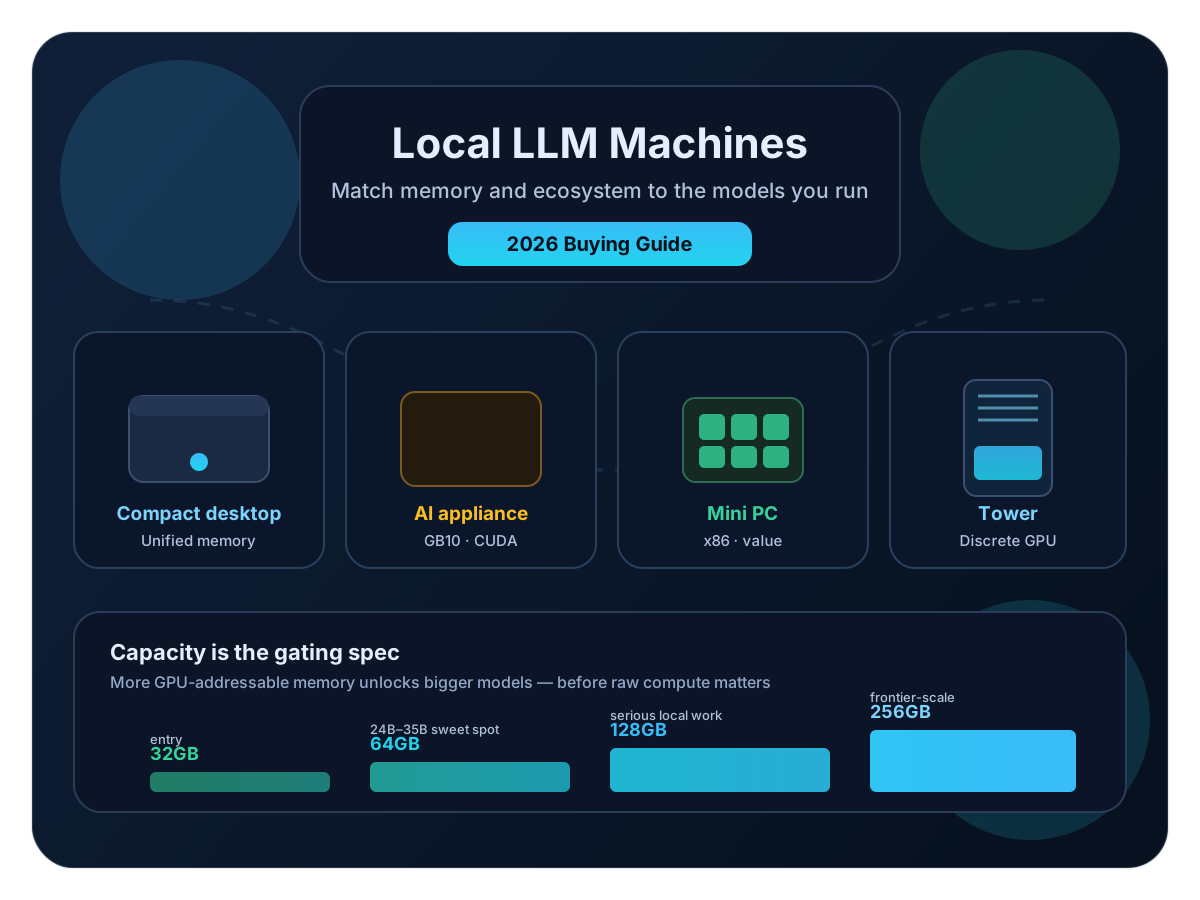
Choose a computer around the model and workload you intend to use. This guide compares nine systems across four form factors, with separate notes for announced hardware, current configuration prices and inference constraints. It is a specification review, not a hands-on benchmark ranking.
GPU-addressable memory must hold model weights, runtime buffers and the context cache. Shared memory also serves the operating system. A download that fits on disk is not proof that the model fits on the GPU.
Memory bandwidth often limits single-user decoding. Prompt processing, batching, quantization kernels and attention can change the bottleneck. A bandwidth ratio is not a measured speedup.
Apple says M5 Max and M5 Ultra Mac Studio became available September 22. The 512GB configuration is due in late October. Availability does not establish local inference performance; check delivery for the exact configuration.
Try the same documents, coding tasks and context length on your existing computer first. Buy more capacity when a useful workload needs it, rather than choosing a machine around the largest parameter count.
Run a small evaluation before ordering hardware: use representative prompts, record the model and quantization, and test the context length you actually need. A larger checkpoint is useful only if it improves that workload enough to justify the cost.
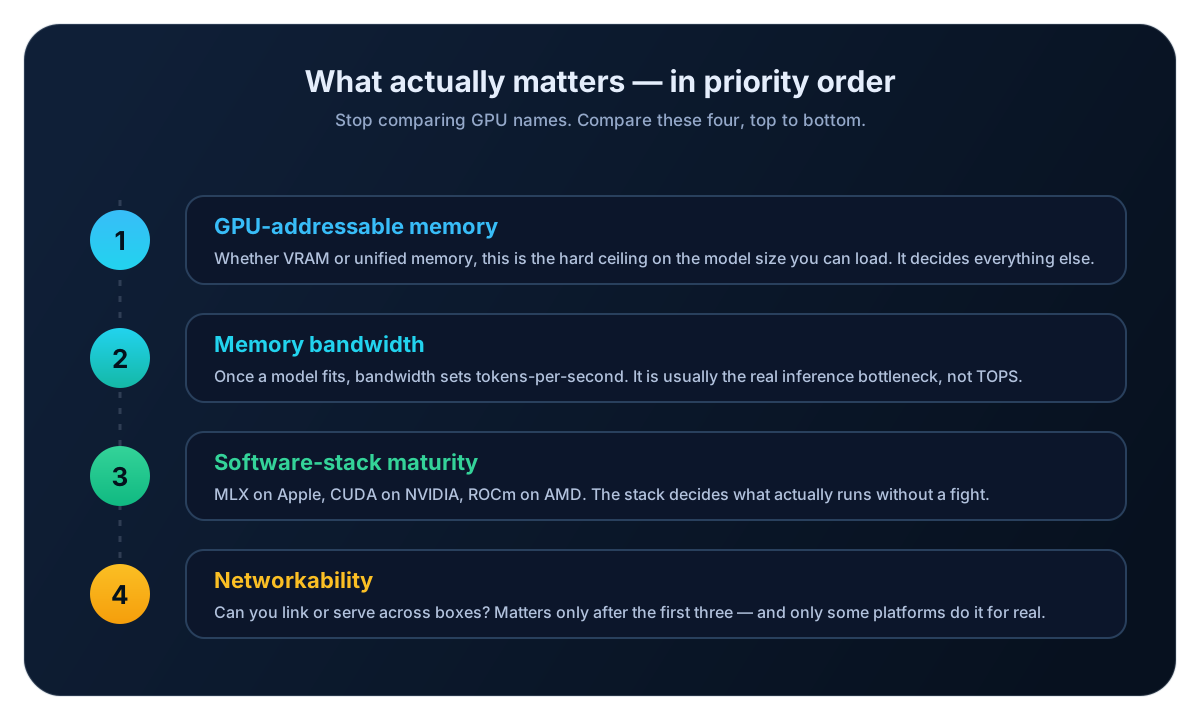
Start with memory and software compatibility, then measure latency. Quantization reduces weight storage, but context and runtime allocations still consume memory. Our KV cache and memory wall guide explains why a model that loads can still become impractical with long prompts.
Count the full quantized checkpoint, not just the active parameters of a mixture-of-experts model. Leave room for context, image encoders, runtime allocations and concurrent requests.
Time both the first token and subsequent generation. Long prompts can be compute-bound; decode can be bandwidth-bound. Test the runtime and quantization you intend to deploy.
Check the exact model architecture, accelerator, operating system and runtime release together. Support for a GPU family does not mean every model format works on it.
Account for cooling, power, storage, support and access controls. A module power limit is not the complete system’s wall power, and a local endpoint still needs authentication if other people can reach it.
Apple’s August 25 announcement replaces the old Mac Studio capacity limits in this guide. Apple announced M5 availability on September 22, with 512GB configurations planned for late October. NVIDIA’s 64GB DGX Spark is due from OEM partners on October 23. The 128GB model rose to $6,950, which NVIDIA Marketplace listed on October 16. NVIDIA’s RTX Spark laptops went on sale October 16 and are covered in the FAQ rather than as a machine card. Elsewhere, compare exact SKUs: Framework lists DIY system selections before extras, and GMKtec prices its 64GB and 128GB EVO-X2 variants separately. Prices have moved during 2026. NVIDIA raised the DGX Spark MSRP in February, citing memory supply, and now lists its Jetson developer kits at $5,499 and $399. A manufacturer specification page does not prove local stock.
Unified-memory desktops, GB10 appliances, GPU towers and embedded kits serve different needs. Choose the deployment format before comparing prices within it.
CPU and GPU share a memory pool. The amount available to inference depends on the operating system, firmware and other applications. AMD’s newer Ryzen AI Max+ PRO 495 systems raise the x86 ceiling from 128GB to 192GB, at a much higher price. AMD says the PRO 495 can dedicate up to 160GB of that to graphics.
Compact Arm systems with NVIDIA GB10. Alongside the 128GB systems, NVIDIA announced a 64GB DGX Spark on October 2, sold only through Acer, ASUS, Dell, Gigabyte, HP and MSI from October 23, starting at $4,999. NVIDIA’s product page still listed it as coming soon on October 16. Check the exact SKU, memory and Arm software support.
A discrete GPU supplies its own VRAM. System RAM is separate; offloading can extend capacity but changes performance.
Developer kits for robotics, cameras and embedded inference. Choose these for device integration, not as interchangeable desktop chat computers.
A 128GB shared-memory desktop and a 96GB discrete GPU expose different amounts of usable memory to the runtime. Published bandwidth helps explain potential bottlenecks, but it does not measure prompt processing, decoding or concurrent serving. Compare the same checkpoint and workload on both systems before drawing a speed conclusion.
Most readers fall into one of five buckets. Find yours, then read that machine's full card below before deciding.
A desktop for Apple-silicon inference
Mac Studio, with the delivery date checked
MLX and Metal provide an established local inference path. Compare the new M5 configurations with any older machine you already own. If 64GB is enough, a Mac mini with M5 Pro offers it at 307 GB/s. The M6 Mac mini stops at 32GB and has Thunderbolt 4 rather than 5.
Watch out: The 512GB configuration is due in late October. Check configuration-specific delivery and runtime support before committing a workload.
128GB in an x86 desktop
Framework Desktop, HP Z2 Mini G1a or GMKtec EVO-X2
These Ryzen AI Max systems offer substantial shared memory without moving to an Arm machine.
Watch out: Firmware allocation and runtime support matter. The 192GB Ryzen AI Max+ PRO 495 listings we checked on October 16 ran from $6,499 (Acemagic F9A, 2TB) to $7,399 (Minisforum MS-S1 MAX-P495, 2TB), with the Framework Desktop 400 edition and GMKtec EVO-X5 Pro at $6,799. That is roughly double the 128GB models. Compare complete configurations and service terms, not headline base prices.
NVIDIA development in a compact appliance
DGX Spark or ASUS Ascent GX10
GB10 provides CUDA and high-speed networking for documented distributed inference workflows.
Watch out: The 64GB version halves the memory of the 128GB systems. Check Arm-compatible packages and the specific cluster recipe. Linking machines does not guarantee low latency.
A workstation with replaceable graphics
HP Z2 Tower G1i with a specified GPU
A supported discrete GPU gives you dedicated VRAM and a conventional CUDA workstation path.
Watch out: An entry-level tower is not the 96GB configuration. Obtain an exact GPU, power supply and support quote.
AI beside cameras or machinery
Jetson AGX Thor or Orin Nano Super
Jetson combines embedded I/O with NVIDIA’s deployment stack.
Watch out: Choose the kit, carrier and JetPack release for the actual peripherals. Leave memory for the rest of the application.
Capacity and bandwidth are manufacturer specifications or explicitly labelled theoretical calculations. Prices are dated US storefront snapshots, before taxes and configuration changes. We rechecked the listed prices on October 16, 2026. The DGX Spark and ASUS GX10 prices come from NVIDIA Marketplace because ASUS’s own store showed no usable price. See the methodology for review scope; confirm the exact configuration before buying. Where a current price could not be verified, the table says so.
| Machine | Class | Memory | Bandwidth | Price snapshot | Buying constraint |
|---|---|---|---|---|---|
| Mac Studio M5 Max | Unified desktop | 36–128GB | 460–614 GB/s | From $2,499 | Validate after delivery |
| Mac Studio M5 Ultra | Unified desktop | 96–512GB | 1.2 TB/s | From $5,499 | 512GB due late October |
| Framework Desktop | Unified desktop | 32–128GB | 256 GB/s theoretical | $1,269–$3,449 before extras; all out of stock Oct 16 | GPU allocation dependent |
| HP Z2 Mini G1a | Unified desktop | Up to 128GB / 96GB GPU | ~256 GB/s theoretical | Quote | GPU allocation dependent |
| GMKtec EVO-X2 | Unified desktop | 64 or 128GB | 256 GB/s theoretical | $2,199.99 (64GB); $3,499.99 (128GB) | Check selected variant |
| NVIDIA DGX Spark | GB10 appliance | 128GB; 64GB via OEMs from Oct 23 | 273 GB/s | 128GB: $6,950 (Oct 16); 64GB from $4,999 | Supported quantized models |
| ASUS Ascent GX10 | GB10 appliance | 128GB | 273 GB/s | $5,999 (1TB) / $7,999 (4TB), NVIDIA Marketplace Oct 16 | Supported quantized models |
| HP Z2 Tower G1i | GPU workstation | Up to 96GB VRAM | 1792 GB/s on top GPU | Quote | Depends on installed GPU |
| Jetson AGX Thor | Edge | 128GB | 273 GB/s | $5,499 MSRP | Embedded model recipes |
| Jetson Orin Nano Super | Edge | 8GB | 102 GB/s | $399 MSRP | Small models / short context |
A base tower and one fitted with a 96GB workstation GPU are different purchases. Likewise, a developer kit’s power specification does not include every peripheral or establish wall power. Read the selected configuration and deployment requirements together.
These are complete system families, with the 512GB Mac Studio identified as due in late October. Hardware details link to their primary sources on each card. Model fit is a planning assessment; S5 Labs has not benchmarked these systems. Illustrations are stylized.
CPU and GPU share a memory pool. The amount available to inference depends on the operating system, firmware and other applications. AMD’s newer Ryzen AI Max+ PRO 495 systems raise the x86 ceiling from 128GB to 192GB, at a much higher price. AMD says the PRO 495 can dedicate up to 160GB of that to graphics.
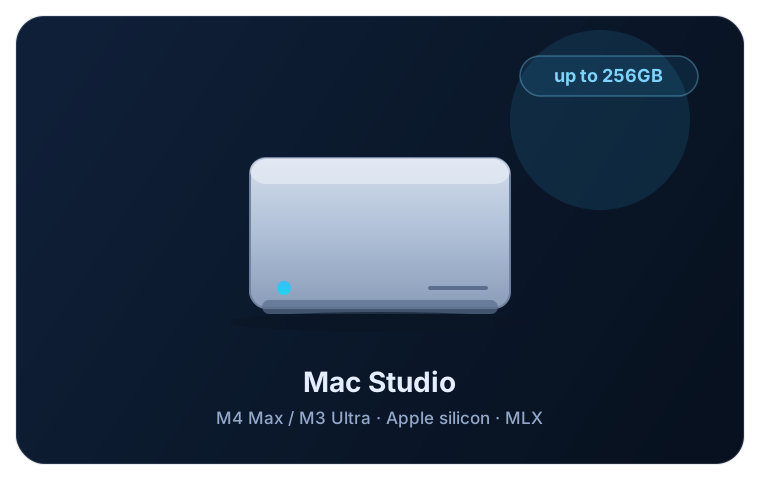
Use case: A candidate for MLX-based inference; actual model compatibility and latency need validation on the delivered hardware.
Constraint: There are no S5 Labs measurements of the new generation. Memory cannot be upgraded after purchase.
Where the numbers come from: Apple specifications and September 22 availability announcement. The 512GB configuration is due in late October; no S5 Labs performance measurements.
Sources: Apple — September 22 Mac Studio availability; Apple — Mac Studio specifications
Strengths
Trade-offs
Readers considering an Apple-silicon desktop who can validate their workload and check delivery for their chosen configuration.
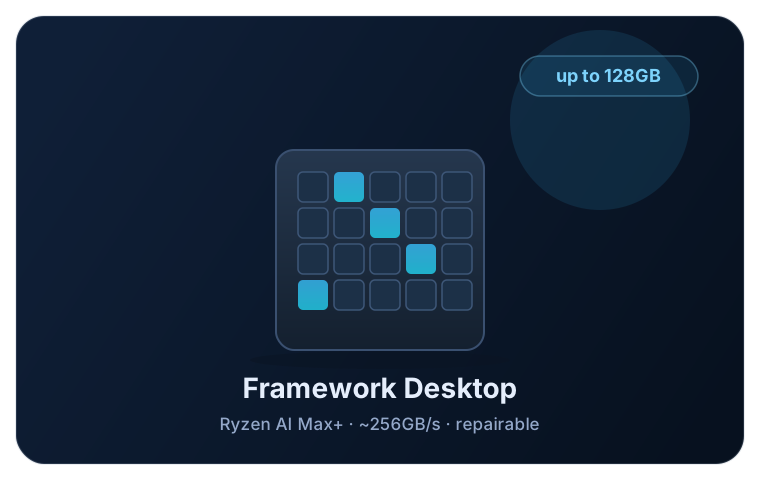
Use case: Quantized local models that fit the configured GPU allocation, with more room on the 128GB option.
Constraint: Long context and dense-model decoding can require compromises; no universal token rate follows from the memory capacity.
Where the numbers come from: Framework configurator and AMD platform specifications. Listed DIY prices exclude separately selected storage, OS and accessories. Framework rates the 400 edition at 273 GB/s on its 256-bit bus; Phoronix reports a $7,449 pre-built version with 2TB and Fedora as the default OS.
Sources: Framework — Desktop specifications; Framework — Desktop 400 edition (192GB) configurator; Framework — 192GB Desktop pre-order announcement; AMD — Ryzen AI Max+ 395 specifications
Strengths
Trade-offs
Readers who want an x86 desktop and are willing to configure their inference environment.
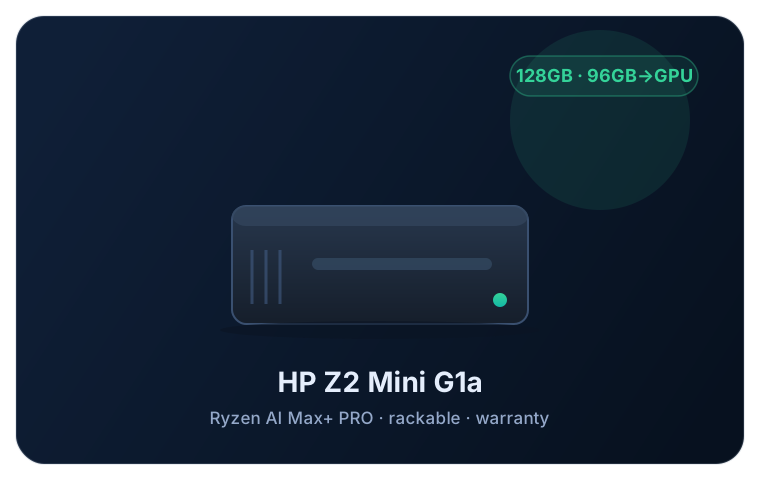
Use case: Quantized models within the allocated GPU memory, with capacity reserved for other workstation applications.
Constraint: The full 128GB is not advertised as dedicated VRAM. Check the runtime and driver combination before deploying.
Where the numbers come from: HP product specifications; bandwidth is a bus-rate calculation, not a throughput measurement. AMD said HP and Lenovo would offer Ryzen AI Max PRO 400 systems in the third quarter of 2026, but HP’s Z2 Mini page still listed the PRO 395 as its top processor on October 16.
Sources: HP — Z2 Mini G1a specifications
Strengths
Trade-offs
Teams that value workstation support and compact deployment.
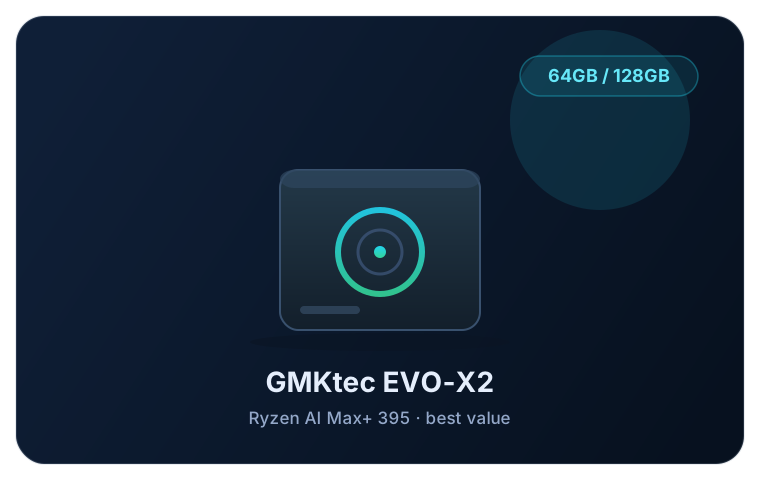
Use case: An x86 option for quantized inference within the available GPU memory.
Constraint: The 128GB variant costs $1,300 more than the 64GB one. Store prices change often, and regional listings can differ.
Where the numbers come from: GMKtec’s US product page, checked October 16. Its storefront and specification table list different SSD choices; confirm the selected SKU.
Sources: GMKtec — EVO-X2 configuration and specifications
Strengths
Trade-offs
Readers comparing retail minis on delivered configuration and warranty.
Compact Arm systems with NVIDIA GB10. Alongside the 128GB systems, NVIDIA announced a 64GB DGX Spark on October 2, sold only through Acer, ASUS, Dell, Gigabyte, HP and MSI from October 23, starting at $4,999. NVIDIA’s product page still listed it as coming soon on October 16. Check the exact SKU, memory and Arm software support.
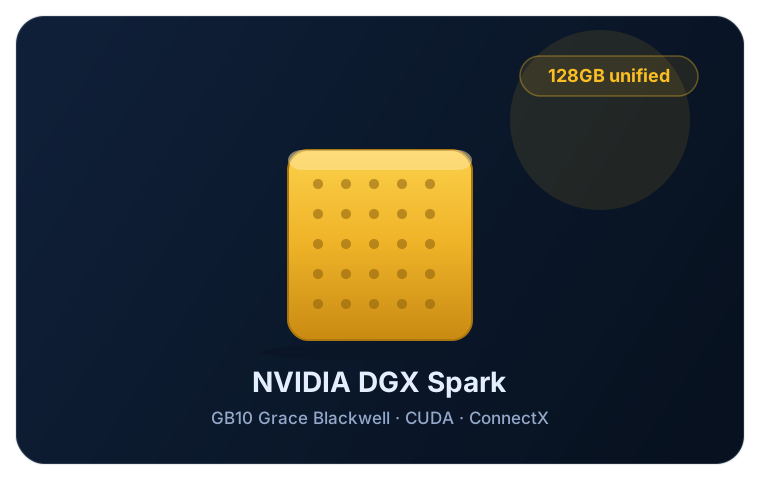
Use case: NVIDIA-supported local inference and development recipes, subject to model format and runtime memory requirements.
Constraint: Dense decoding and inter-node communication can limit latency. Check Arm software compatibility.
Where the numbers come from: NVIDIA-published specifications. NVIDIA advertises up to 200B parameters on one 128GB unit, up to 100B on one 64GB unit and up to 700B on four 128GB units; these are workload-dependent capacity claims.
Sources: NVIDIA — DGX Spark specifications; NVIDIA — ConnectX-7 clustering guide; NVIDIA — DGX Spark 64GB announcement (October 2); NVIDIA — February 2026 DGX Spark price change; NVIDIA Marketplace — DGX Spark price (checked October 16); The Register — 128GB DGX Spark price rise (October 2)
Strengths
Trade-offs
Developers who need the NVIDIA software environment in a compact system.
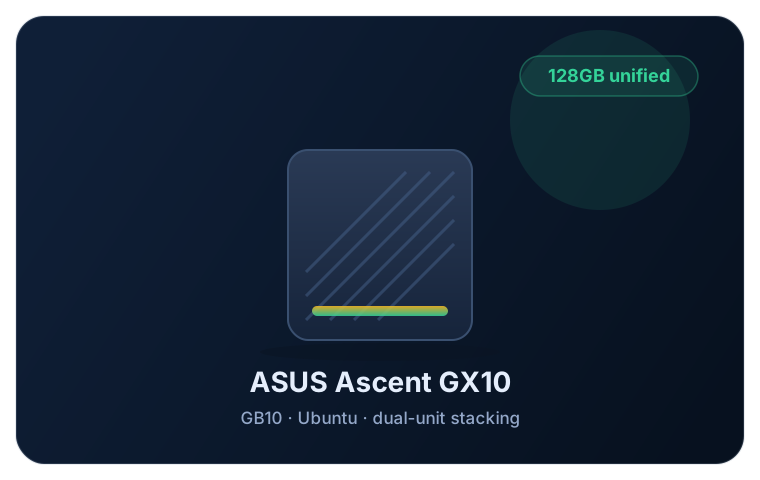
Use case: GB10-compatible workloads on the Ubuntu-based NVIDIA software stack.
Constraint: Do not assume a lower price than DGX Spark or identical support terms. Verify the selected system and cluster support.
Where the numbers come from: ASUS specifications and support FAQ checked October 6. On October 16 the ASUS US store showed the GX10 out of stock with a placeholder price; NVIDIA Marketplace listed the 1TB and 4TB models at $5,999 and $7,999. The 2TB option was not listed there. No per-model speed claim.
Sources: ASUS — GX10 specifications; ASUS — GX10 support FAQ; NVIDIA Marketplace — GB10 systems and prices (checked October 16); ASUS — GX10 US store
Strengths
Trade-offs
Buyers comparing GB10 vendors on actual price, storage and support.
A discrete GPU supplies its own VRAM. System RAM is separate; offloading can extend capacity but changes performance.
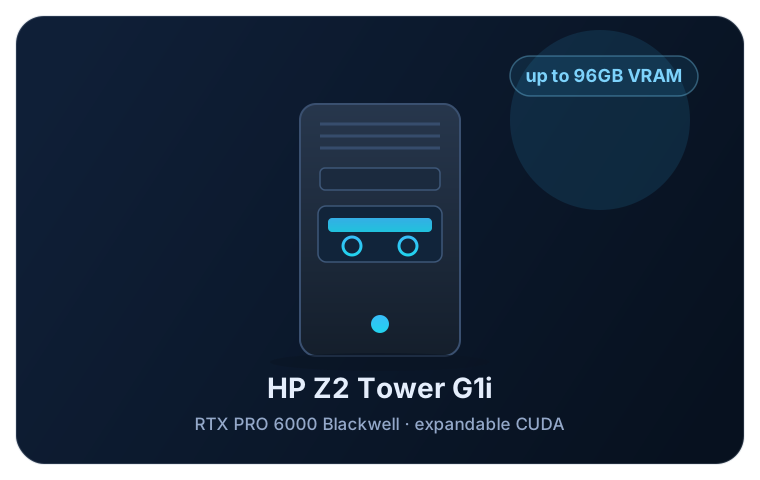
Use case: Quantized models that fit the selected discrete GPU, with dedicated high-bandwidth VRAM.
Constraint: CPU RAM is not interchangeable with VRAM. Offloading changes the performance profile.
Where the numbers come from: HP chassis specifications and QuickSpecs, plus NVIDIA GPU specifications. HP’s QuickSpecs exclude the 96GB cards and the RTX PRO 5000 from the 500W and 700W power supplies. No bandwidth-to-token-rate conversion is claimed.
Sources: HP — Z2 Tower G1i specifications; HP — Z2 Tower G1i QuickSpecs; NVIDIA — RTX PRO 6000 Blackwell specifications
Strengths
Trade-offs
Teams needing a conventional, expandable CUDA workstation.
Developer kits for robotics, cameras and embedded inference. Choose these for device integration, not as interchangeable desktop chat computers.
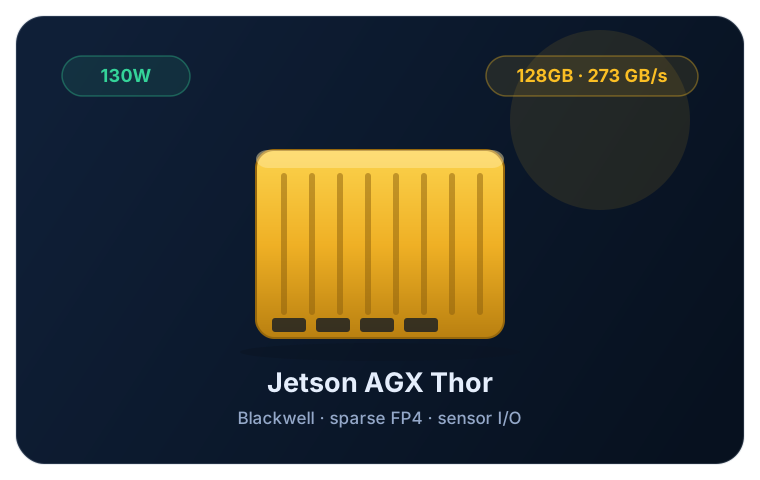
Use case: Embedded language and vision workloads with a supported JetPack model recipe.
Constraint: Application processes and sensor buffers share memory. Equal bandwidth to GB10 does not establish equal LLM performance.
Where the numbers come from: NVIDIA kit specifications and MSRP list. The kit uses the T5000 module; the separate T4000 module has 64GB and a $2,999 MSRP for orders of 1,000 or more. The 40–130W range is a platform power specification, not a measured whole-system wall-power figure.
Sources: NVIDIA — Jetson Thor specifications; NVIDIA — Jetson FAQ and MSRP list
Strengths
Trade-offs
Robotics, inspection and multimodal edge applications.
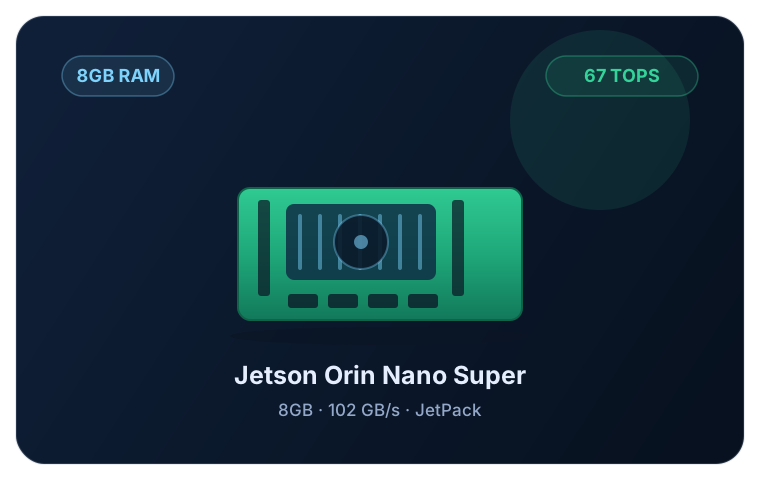
Use case: Small quantized language and vision models with modest context and application memory needs.
Constraint: An 8B model is not an automatic fit in 8GB. Runtime, context and other processes can exhaust the remaining memory.
Where the numbers come from: NVIDIA-published specifications. No per-model token rate or guaranteed maximum parameter count.
Sources: NVIDIA — Orin Nano Super specifications; NVIDIA — Jetson FAQ and MSRP list
Strengths
Trade-offs
Learning the Jetson stack and prototyping compact edge applications.
Use these models as a repeatable evaluation set for general assistance, vision, reasoning, coding and agent work. They are practical examples from the open models guide, rather than a claim that every model is the newest or best. Record the exact download and runtime version so a later comparison measures the same thing. Our Nemotron 3.5 Bolt and RTX Spark article covers the newest addition in more detail.
A dense model with vision support to test against your own writing, reasoning and document tasks.
27B language model · Apache 2.0 · Unsloth UD-Q4_K_M: 16.46GB; vision projector adds 0.93GB
Fit: 32GB total is a candidate for modest context if the GPU allocation allows it; 64GB leaves more room.
A local reasoning and tool-use model with an optional perception encoder. Its model card specifies a compatible llama.cpp build and chat-template requirements.
30B · Apache 2.0 plus usage policy · official Q4_K_M: 16.76GB; vision encoder adds 1.40GB
Fit: Evaluate on a 32GB or larger system with adequate accelerator allocation; optional speculative decoding consumes additional memory.
A compact MoE example for reasoning and tool-use evaluation with a runtime that supports its format.
21B total / 3.6B active · Apache 2.0 plus usage policy · native MXFP4 weights about 13.8GB
Fit: OpenAI describes a 16GB memory deployment. That is not a guarantee for every runtime or long context; allow more headroom.
Use repository tasks to test whether this larger coding MoE improves on a smaller model enough to justify the memory cost.
80B total / 3B active · Apache 2.0 · official Q4_K_M shards total 48.41GB (45.09GiB)
Fit: 64GB unified memory is conditional on allocation and context; 96–128GB gives more room. A 48GB GPU leaves little runtime headroom.
A larger MoE example for evaluating memory headroom. Its active-parameter count does not describe the storage required for all experts.
109B total / 17B active · custom Llama 4 license · ideal 4-bit weight floor: 54.5GB, before format overhead
Fit: Evaluate an actual quantized artifact on a 96–128GB system. Do not budget from the ideal floor or assume the advertised maximum context fits.
NVIDIA’s hybrid Mamba-2, attention and MoE model tests whether a small active-parameter count pays off on your runtime. Its model card has a local AI section for RTX 5090, DGX Spark and RTX 6000 Pro.
30B total / 3B active · OpenMDW-1.1 · ggml-org Q4_0 GGUF (a community conversion, not an NVIDIA file): 18.90GB; optional MTP draft adds 1.16GB
Fit: Evaluate on a 32GB or larger system at modest context. The 1M-token nominal context is not part of this estimate.
NVIDIA released Bolt on October 15, compressed from the 120B Nemotron 3.5 Super and quantized mostly to 2 bits. It tests whether a heavily quantized 74B model does better on your work than a 4-bit model of 30B or less. NVIDIA’s card puts the deployment footprint below 24GB at batch size 1 and 128K context.
74B total / 9B active · OpenMDW-1.1 · NVIDIA GGUF (IQ2_XXS experts, NVFP4 and Q8_0 elsewhere): 22.02GB; vision projector adds 1.73GB
Fit: NVIDIA’s llama.cpp recipes name a 32GB+ RTX GPU or 64GB RTX Spark for 64K context, and a 48GB+ GPU or 128GB RTX Spark for 256K. Ollama says its Bolt package does not run on Apple silicon, and an open llama.cpp issue reports Metal crashes (a fix was being tested in the thread), so treat Macs as untested.
“Candidate” means worth testing for one user at a modest context, such as 4K tokens; it does not certify a successful load. “Conditional” needs particular care with GPU allocation and runtime overhead. Sizes use decimal GB unless GiB is stated. Scout’s ideal floor is calculated as 109 billion parameters × 4 bits ÷ 8, and is not a download size.
| Model | Weight size / estimate | 8GB edge | 32GB / 64GB total | 96GB box | 128GB box |
|---|---|---|---|---|---|
| Qwen3.8-27B | 16.46GB + 0.93GB vision | No | 32: conditional / 64: candidate | Candidate | Candidate |
| Muse Glimmer 30B | 16.76GB + 1.40GB vision | No | 32: conditional / 64: candidate | Candidate | Candidate |
| gpt-oss-20b | ~13.8GB MXFP4 | No | Candidate with supported runtime | Candidate | Candidate |
| Qwen3-Coder-Next | 48.41GB Q4_K_M | No | 32: no / 64: conditional | Candidate | Candidate |
| Llama 4 Scout | 54.5GB ideal 4-bit floor; artifact larger | No | Do not plan from this floor | Artifact-dependent | Artifact-dependent |
| Nemotron 3.5 Lightning | 18.90GB Q4_0 + 1.16GB MTP | No | 32: conditional / 64: candidate | Candidate | Candidate |
| Nemotron 3.5 Bolt | 22.02GB GGUF + 1.73GB vision | No | 32: conditional / 64: candidate on NVIDIA | Candidate on NVIDIA; Mac untested | Candidate on NVIDIA; AMD and Mac unconfirmed |
The table is a rough capacity screen, not a runtime guarantee. Download sizes exclude the context cache, image encoders unless stated, runtime buffers and other applications. A shared-memory system may allocate much less than its total RAM to the GPU. Start with a modest context and measure memory before increasing it; the model’s advertised maximum context is not included in these estimates. Runtimes may not start small: Ollama sets its default context from available GPU memory, at 4K below 24GiB, 32K from 24 to 48GiB and 256K at 48GiB or more, so check the setting before reading memory use on a large machine.
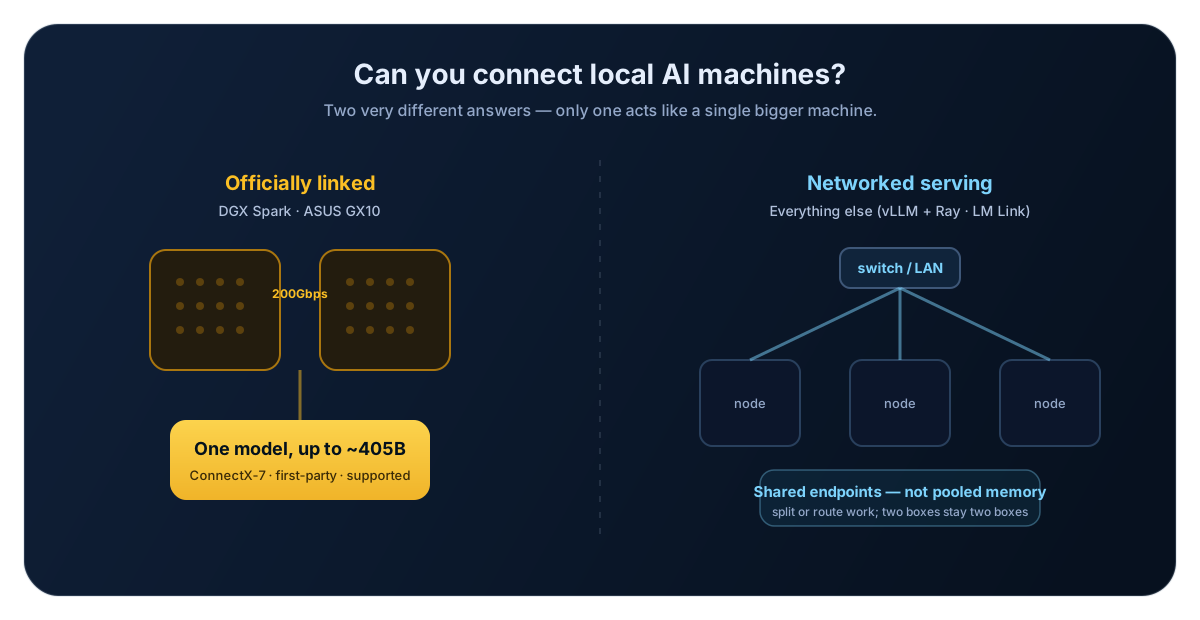
Several machines can either share one model through a distributed runtime or serve separate models behind remote endpoints. These are different architectures, with different networking and software requirements.
NVIDIA documents multi-Spark clusters over ConnectX-7: up to three systems cabled directly, or four through a switch. Its product page advertises models up to 700B parameters on four 128GB systems. For the 64GB model, NVIDIA says two clustered units reached up to 1.7x the performance of one in its Qwen 3.8 27B test, without giving test settings. Model format, topology and serving software still determine what runs.
vLLM supports tensor and pipeline parallelism across nodes with supported accelerators. This can run a model larger than one node’s memory. Apple describes clustering the M5 Mac Studio over Thunderbolt 5 with RDMA. Its “up to 3x” figure comes from one Apple test: summarizing a 32K-token prompt with a 72B dense model in mlx-lm, four systems against one. exo’s README says its RDMA path needs Thunderbolt 5 and macOS 26.2 or later, and its Linux build runs on the CPU only. Meta’s guidance for the 816B-parameter Muse Spark Open, released October 15, is at least 700GB of GPU memory for its NVFP4 weights, or two M5 Ultra Mac Studios with MLX; the Mac option needs the 512GB configuration, which Apple has not yet shipped. Neither approach creates a single transparent RAM pool.
LM Link lets a client use a model running on another machine. The remote host does the inference; this does not distribute that model’s weights across the client computers.
If one model exceeds a node’s memory, investigate supported sharding and the required interconnect. If several people need access to a model that already fits, a secured remote endpoint may be enough. Neither design combines machines into transparent, interchangeable system RAM.
Check the model architecture, file format, operating system and accelerator together. Desktop launchers simplify installation, but they do not remove backend compatibility limits.
Best for: Apple-silicon inference
MLX targets Apple silicon and unified memory. LM Studio supports MLX models and llama.cpp-compatible formats on supported Macs. Since v0.40.0 (September 25), Ollama automatically uses MLX for supported architectures on Apple silicon. MLX 0.32.3 (September 29) added M5 Ultra tunings for non-quantized matrix multiplies.
Check model architecture support; a new chip announcement is not a runtime compatibility test. Ollama’s Nemotron 3.5 Bolt package, for example, does not support Apple silicon.
Best for: GPU development and serving
DGX Spark ships NVIDIA’s software stack; GX10 lists Ubuntu Linux. Use containers and packages built for the system’s CPU architecture. Ollama’s v0.40.5 release notes (October 14) describe Bolt and its library lists a Bolt package; llama.cpp merged Bolt support on October 15.
A package for an x86 RTX workstation may not run unchanged on Arm GB10.
Best for: Embedded deployment
NVIDIA’s current JetPack 7 documentation covers Thor and Orin. Orin support arrived with JetPack 7.2 in June, so earlier JetPack 7 guides may cover Thor only. Follow the release and carrier-board compatibility instructions for the exact device.
Keep sensor support and deployment libraries aligned with the Jetson Linux release.
Best for: Ryzen AI Max inference
AMD documents Ryzen AI Max inference with ROCm and Ollama; its May guide used ROCm 7.2.1 and Ollama 0.20 with 64GB of a 128GB system assigned to the GPU. llama.cpp also offers Vulkan; backend and model support must be checked separately.
Record BIOS GPU allocation, OS, driver and runtime versions when comparing results.
LM Studio and Ollama provide local inference tools on supported desktop platforms. LM Studio’s LM Link, still in preview, adds encrypted remote access to models hosted on another computer. Verify that the chosen model stays local if privacy is a requirement; tool calls and cloud fallbacks can still leave the device.
We checked the linked manufacturer pages and developer documentation on September 5, 2026. On September 28, we updated Mac Studio availability against Apple’s September 22 announcement; other systems were not fully re-reviewed. On October 5, we corrected the review-date wording. On October 6, we rechecked prices, stock and specifications for every system against manufacturer pages, stores and NVIDIA’s Jetson MSRP list. We also added NVIDIA’s October 2 announcement of the 64GB DGX Spark. On October 16, we rechecked Apple, Framework, GMKtec, HP, ASUS, NVIDIA DGX Spark, RTX Spark and Jetson pages and stores, and runtime release notes. That pass mostly used a fetch tool and storefront product data; we checked NVIDIA Marketplace in a browser. It added 192GB Ryzen AI Max+ PRO 495 listings, Nemotron 3.5 Bolt and the RTX Spark launch. NVIDIA Marketplace listed the 128GB DGX Spark at $6,950 and the ASUS GX10 at $5,999 (1TB) and $7,999 (4TB); the ASUS store itself showed no usable price. The pass did not re-read the Orin Nano Super specifications, the HP Z2 Tower QuickSpecs, the ASUS GX10 specification page, NVIDIA’s clustering guide or the anchor models’ file sizes other than Bolt’s; those still rest on the October 6 check. The review corrects obsolete hardware options and removes unsourced token rates. It distinguishes published specifications, observed storefront prices and our workload-planning guidance.
Specifications come from the linked manufacturers. The 256 GB/s figure for LPDDR5x-8000 on a 256-bit bus is a theoretical rate, not measured sustained bandwidth. Peak compute figures use the precision stated by the vendor.
Storefront prices apply to the stated selection, not every variant. Model sizes describe the named weight artifact; runtime allocations and the context cache are additional. Fit assessments are estimates to narrow an evaluation, not measured results.
S5 Labs has not performed a controlled cross-system benchmark for this guide. We do not infer tokens per second from bandwidth or repeat community rates without a reproducible test configuration.
Record the checkpoint and quantization, runtime version, prompt and output lengths, context limit, batch size and accelerator allocation. Measure time to first token, decode rate and peak memory. Include a longer prompt and concurrent requests if those reflect the intended use; a short single-user chat test will not answer those questions.
Start with the exact quantized checkpoint size, then add runtime and context memory. Many compact models fit below 32GB, while larger quantized models need substantially more. Total system RAM and memory available to the GPU can differ.
Some configurations have enough memory for quantized 70B weights, but that does not guarantee your target context length or latency. Test the exact model, quantization and runtime; bandwidth alone cannot provide a token rate.
The M5 generation restores larger options: M5 Max reaches 128GB and M5 Ultra reaches 512GB. Apple announced availability on September 22, with the 512GB version due in late October. Check the delivery estimate for your exact configuration.
NVIDIA says RTX Spark laptops from ASUS, Dell, HP, Lenovo, Microsoft and MSI went on sale October 16, starting at $2,599, with up to 128GB of unified memory and up to 1 petaflop of FP4 compute. They run Windows on Arm and are not GB10 appliances, so DGX Spark software and recipes do not carry over automatically. NVIDIA’s product page gives no memory bandwidth (its porting guide lists 300 GB/s), and a starting price does not say how much memory it buys. We have not added them as a machine card.
They remain separate systems. Distributed runtimes can shard one model across them, while remote-serving tools send requests to a model on one host. Both require compatible software; an Ethernet cable alone does not combine RAM.
Only if the model actually uses that NPU through a supported runtime, and even then the precision and workload matter. GPU-based inference tools should be compared using their own measured latency, memory use and throughput.
Local inference can keep prompts on your hardware, but cloud fallbacks, tools, telemetry and remote access must be configured accordingly. Compare hardware, electricity and maintenance with your actual API usage; there is no universal payback period.
Use a desktop for general development unless the workload needs embedded interfaces, sensor integration or a device power envelope. Jetson is useful for those deployment constraints, but it requires its own software and hardware integration work.
Sources include manufacturer specifications and stores, official model cards, and tooling documentation. The page update date does not mean every configuration was rechecked. See methodology for how performance claims are attributed.
The newest S5 Labs articles connected to this guide.